Search
  Sign Up
  VIP Club
Cashy Casino Login, Registration and Account Verification
Players can sign up with an email or use their Google account instead. The platform offers a welcome 25% cashback with zero wagering to new users once they complete casino Cashy registration. Additionally, there is a VIP club which you automatically enter after depositing at least $10.
Cashy Casino Sign Up Process
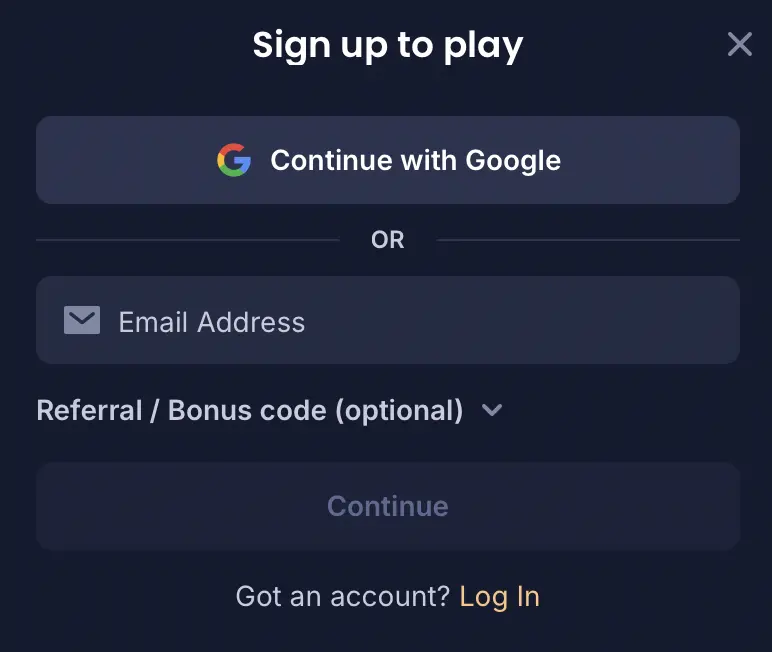
You need an account to play for real money, get bonuses, join activities and make withdrawals. Cashy registration works similarly on both desktop and mobile. Below is a step-by-step guide:
- Go to Sign Up: Click the Sign Up button in the top-right corner.
- Choose how to register: If you want to use your Google account, click Sign up with Google; for regular registration, enter your email address.
- Add a voucher: If you have a bonus or referral code, put it into the required field.
- Select your currency: Click Continue, come up with a password and select a currency.
- Accept the terms: Confirm that you are at least 18 and accept the T&C and Privacy Policy.
- Finish registration: Click Sign Up and you are done with the Cashy register process.
How to Register and Log In on Mobile
Players can complete the Cashy login and registration from their phone or tablet using the mobile browser. The main casino features are also available on mobile. Follow the steps below.
- Open the site: Visit the website in your phone browser.
- Pick an option: Tap Sign Up if you need a new account or Log In if you already have it.
- Sign in or register: Use the Continue with Google option or enter your email and password.
- Add your details: If you are registering, choose a currency, add a code if you have it and confirm that you are 18+.
- Finish: Tap Sign Up or Log In to access your profile.
How to Sign In
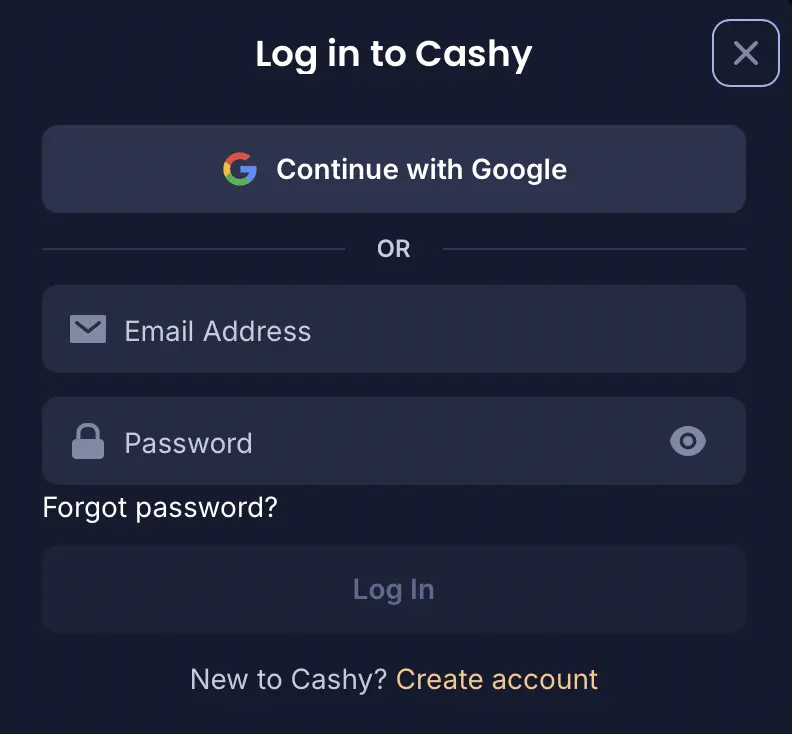
Once you’re done with the Cashy Casino sign up, you can log in, open the cashier, check bonuses, manage your account and play games. Here’s how to sign in:
- Go to Log In: Click Log In in the top-right corner of the website.
- Choose a login option: Click Continue with Google or enter your account email and password.
- Access your profile: Click the Cashy Casino Log In button. You can then make a deposit and play real-money games.
Click “Forgot password?” if you cannot remember it; then you can reset it by email.
KYC Verification
Account verification or KYC (Know Your Customer), is needed before you can use some profile features, especially withdrawals. That way the casino checks your identity, confirms that you are 18 or older and makes sure the payment method belongs to you to prevent fraud. It’s better to complete the checks right after the Cashy sign up. You can upload the documents in the Verification section. These are the exact steps:
- Go to Verification: Log in to your profile and open the Verification section.
- Verify your identity: Upload your ID, passport or driver’s license. The name and date of birth should be clearly visible.
- Confirm your address: Upload a utility bill, internet bill or bank statement from the last 90 days with your name and address.
- Verify your payment method: Upload a screenshot or photo of the payment method. For a card, show the first 6 and last 4 digits. You can also use e-wallet details or a bank statement.
- Wait for Cashy Verification: KYC usually takes 24–48 hours, but it can sometimes be completed within a few hours.
Cashy Sign Up Offer Activation

Instead of a traditional bonus, you get 25% first-day cashback on net losses after the Cashy Casino sign up. Here is how to set it up:
- Sign Up: Create your account.
- Open the Cashier: Log in and click the Deposit button in the top menu bar.
- Select a Payment Method: Pick your preferred crypto or fiat payment option.
- Deposit $100+: Make a deposit of at least $100.
- Play: Spin slots or test live tables. If you end up down after your first 24 hours, you automatically get 25% back (up to $250) in real cash with zero wagering.
How to Delete Your Profile
If you want to close your account or take a break from gambling, complete the Cashy login and send a request from your registered email address or contact support via the live chat. Tell them if it should be deleted permanently or you need to use self-exclusion.
Before closing the profile, make sure your real-money balance is cleared. After the account is closed, it will be impossible to cash out the remaining funds.
Terms and Conditions
Before your Cashy registration, there are a few rules to know:
- Age limit: You must be 18 or older or meet the legal gambling age in your country.
- One account: You can have only one profile. Duplicate accounts may be closed, and you could lose any related winnings.
- Your details: Use your real and correct information when signing up. False details can cause problems during verification and may lead to your account suspension.
- Account safety: Keep your login details safe and do not share them with others. You are responsible for what happens on your profile.
- Restricted countries: If gambling is not allowed in your country, you cannot register or make real-money transactions.